|
Web page events recording |
  
|
| Show/Hide Hidden Text |
|
Web page events recording |
|
| Show/Hide Hidden Text |
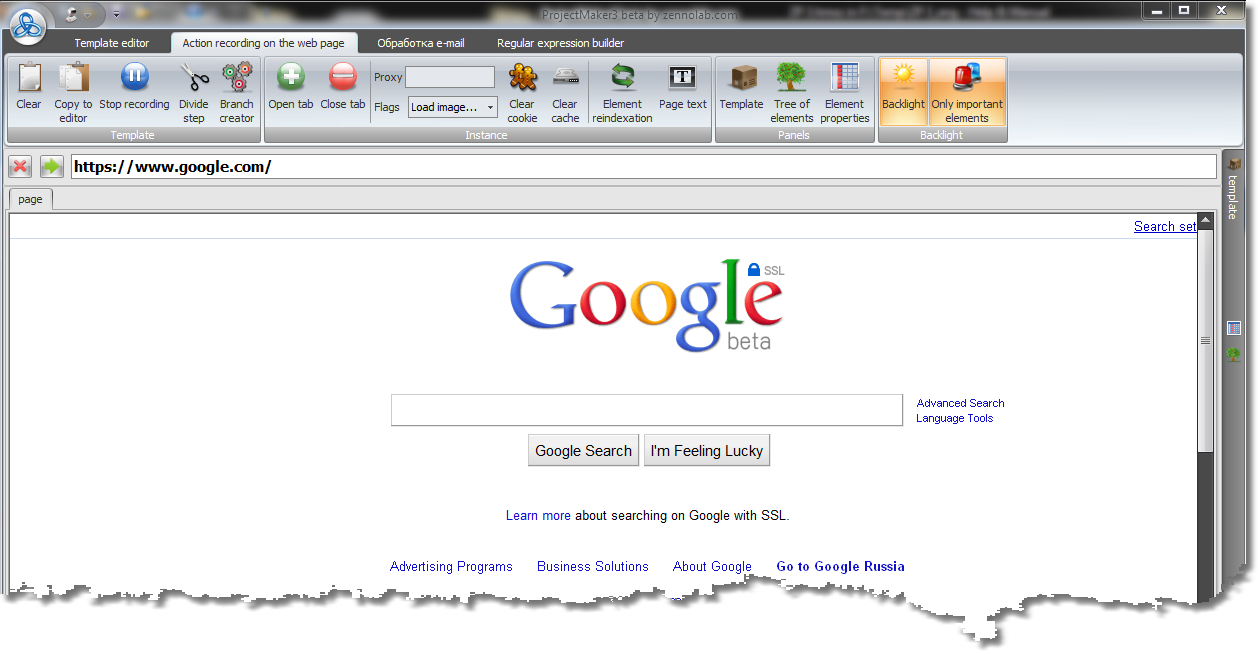
The action recording section just like the template editor comprises controls divided into thematic groups on top,

three panels to work with a web page and a template (these can be dragged anywhere on the screen):
| • | Template Panel (displays recorded template) |
| • | Elements Tree Panel (configures display of structural elements of a web page) |
and utilities to display current page text.
Both utilities and panels can be activated (if they are not already displayed) by corresponding controls on top.
In the middle of the screen the web browser in which you are performing actions that need to be recorded is displayed: