|
Repeat data input after failure |
  
|
| Show/Hide Hidden Text |
|
Repeat data input after failure |
|
| Show/Hide Hidden Text |
Sometimes, if an issue occurs in the middle of your registration process, e.g. CAPTCHA was not recognized or the login is already in use by someone, you can handle this situation by entering the data for the second time. Usually it is not recommended to use this method, as the cause of these errors is normally a faulty proxy or similar and it is very unlikely that repeated registration will be successful. Sometimes, however, it is too painful to loose registration data, especially if this data was something you dug out before and not something randomly generated, e.g. a list of previously registered e-mails.
Pay attention to repeated data input when recording a template
The correct way is to enter an incorrect CAPTCHA for the first time when recoding a template and then repeatedly enter the data that the server erased when refreshing the registration page. Please remember that before entering data for the second time and after you did it you need to split steps.
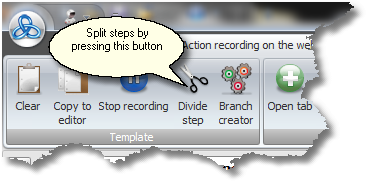
Otherwise you will get problems with creating a branch on condition.
Configuring repeated data input in the editor
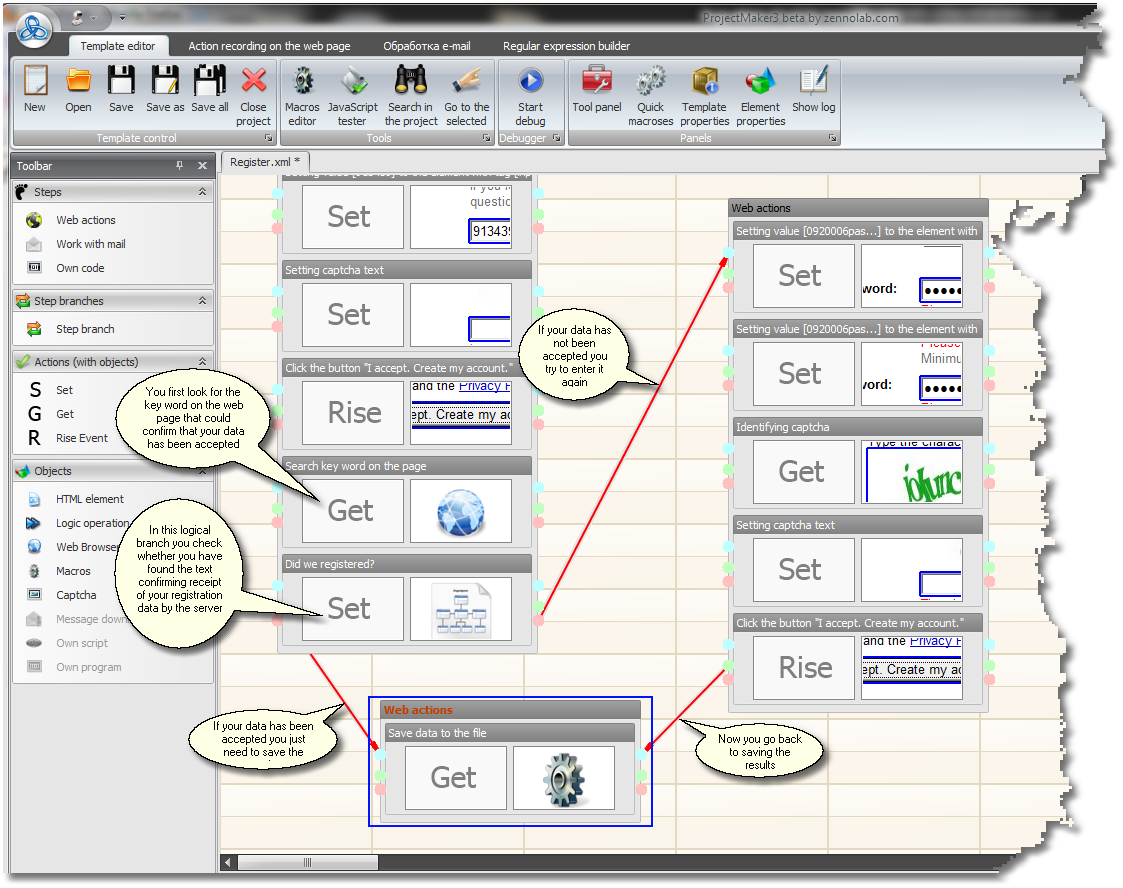
At the end you will get a separate step for repeated data input to which you may go in case of error during registration. After that you need to add two additional branches at the end of the first step just before the repeated data input. The first branch will take the page text and parse for a word confirming receipt of data by the server (checking if registration was successful). The second branch will check if this word was parsed or not, and if not this branch will activate repeated data input, while in the case this word is found it will lead to saving the results without repeated data input.
Other options
If you need to process a specific error, e.g. entering an incorrenct CAPTCHA, you may want to search for the text that confirms not the registration itself, but rather this specific error. Thus this text could be 'wrong CAPTCHA'.
You can also work with your current URL (and not the page text) to detect an error or its absence.
Important!
If you forgot to create a separate step for repeated data input, you can record it once again by temporarily pausing the template recording until the time when repeated data input occurs again. Then you can just drag this part of the recoding to the previous template.