|
Cycle |
  
|
| Show/Hide Hidden Text |
|
Cycle |
|
| Show/Hide Hidden Text |
Generally speaking we do not recommend you to use loops very often as this is a complex structure and you may encounter a whole range of unforeseen errors (especially if you are not very good at programming).
A loop consists of two key elements, namely repeated actions and exit conditions.
If you know exactly how many times an action should be repeated
Then it is better to use a counter-based loop. The counter should be initialized by an initial value before entering the loop (by repeated actions). In the Macros Builder you will find a section entitled 'Counters'. It has all the macros you need to work with these counters. When initializing a counter you indicate its initial value and a name, by which to later distinguish it, get it and increase it (its value). Inside the loop you need to increase your counter value once and then you should wait until it surpasses the required value - this will be a signal to exit the loop. Otherwise you return to the start of the loop. When comparing the counter and the value you do not have to put in brackets either the value or the counter macro as you are basically comparing values and not texts.
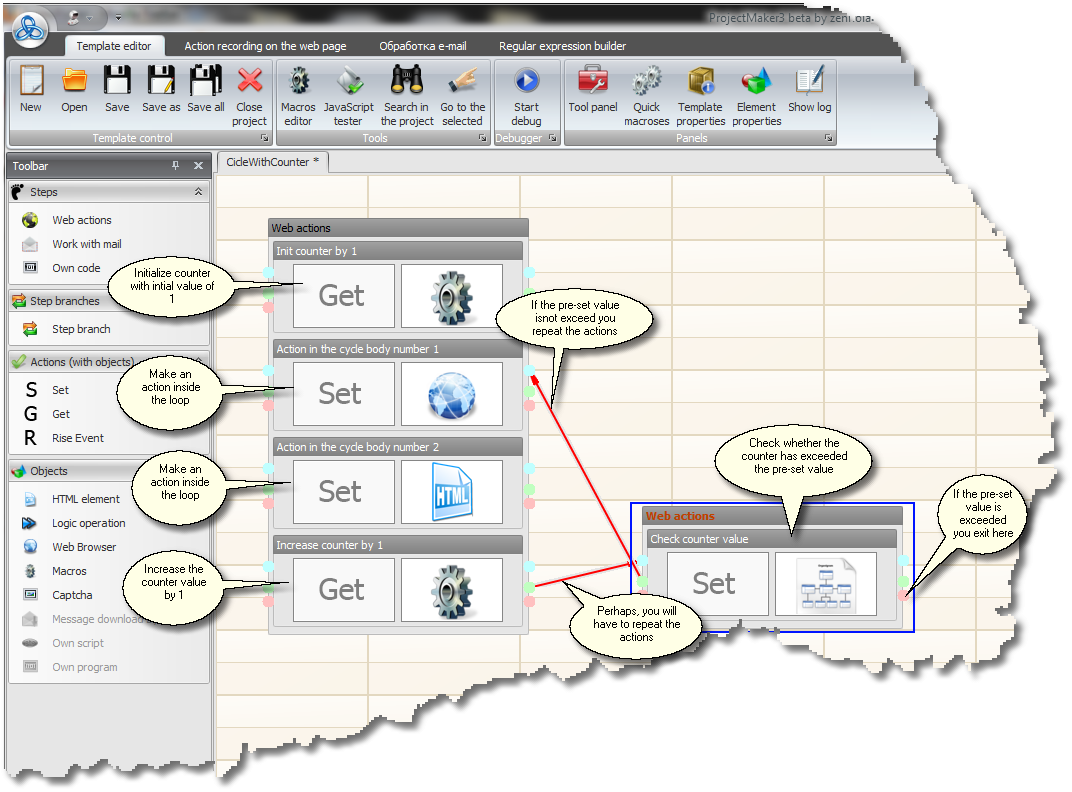
So we initialize a counter with the name counter1 and initial value of 1
{-Counter.Set-|-counter1-|-1-}
Now we increase the value of the counter with the name counter1 by 1
{-Counter.Add-|-counter1-|-1-}
Now we get the value of the counter with the name counter1
{-Counter.Get-|-counter1-}
Now we compare whether the value of the counter with the name counter1 is bigger than 10
{-Counter.Get-|-counter1-} > 10
An example of this loop can be found in the parser section.
Exiting the loop following an event on the web page
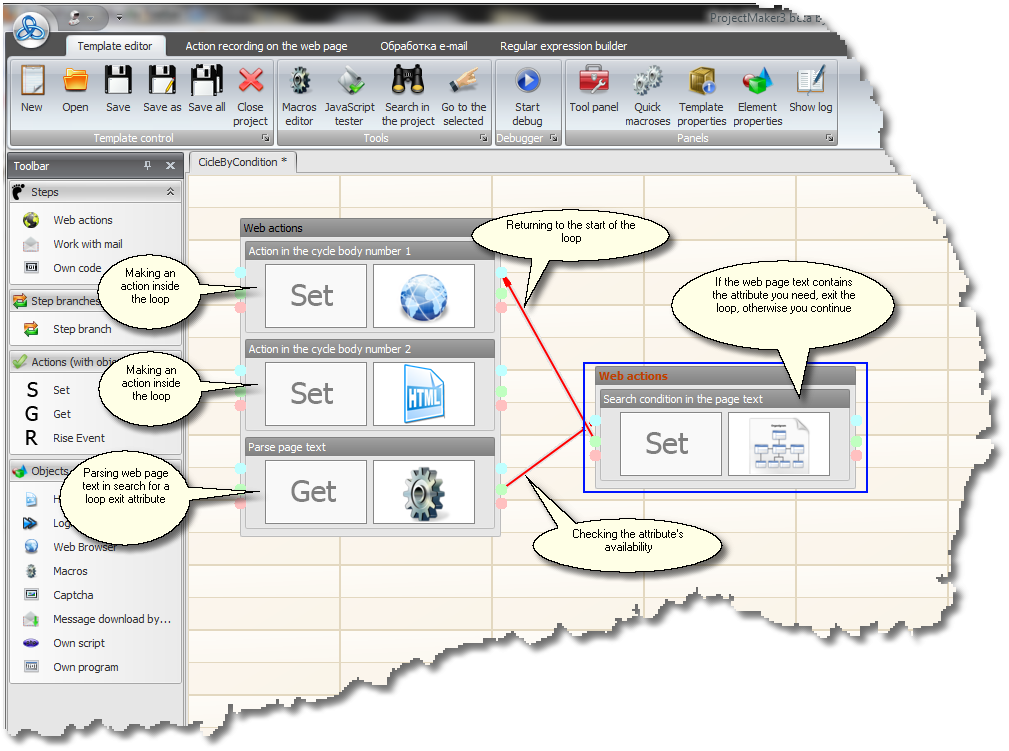
This event could be appearance of a specific text on the web page (see the Repeated Data Input After Failure section for an example) or a jump to the required URL - in any case you will need the Set--Logical Operation branch in which you will write the criterion for exiting the loop using JavaScript. Please be reminded that exit with error (through the red point) from the Set--Logical Operation branch occurs when your JavaScript generates false at execution.
Exiting the loop following an error
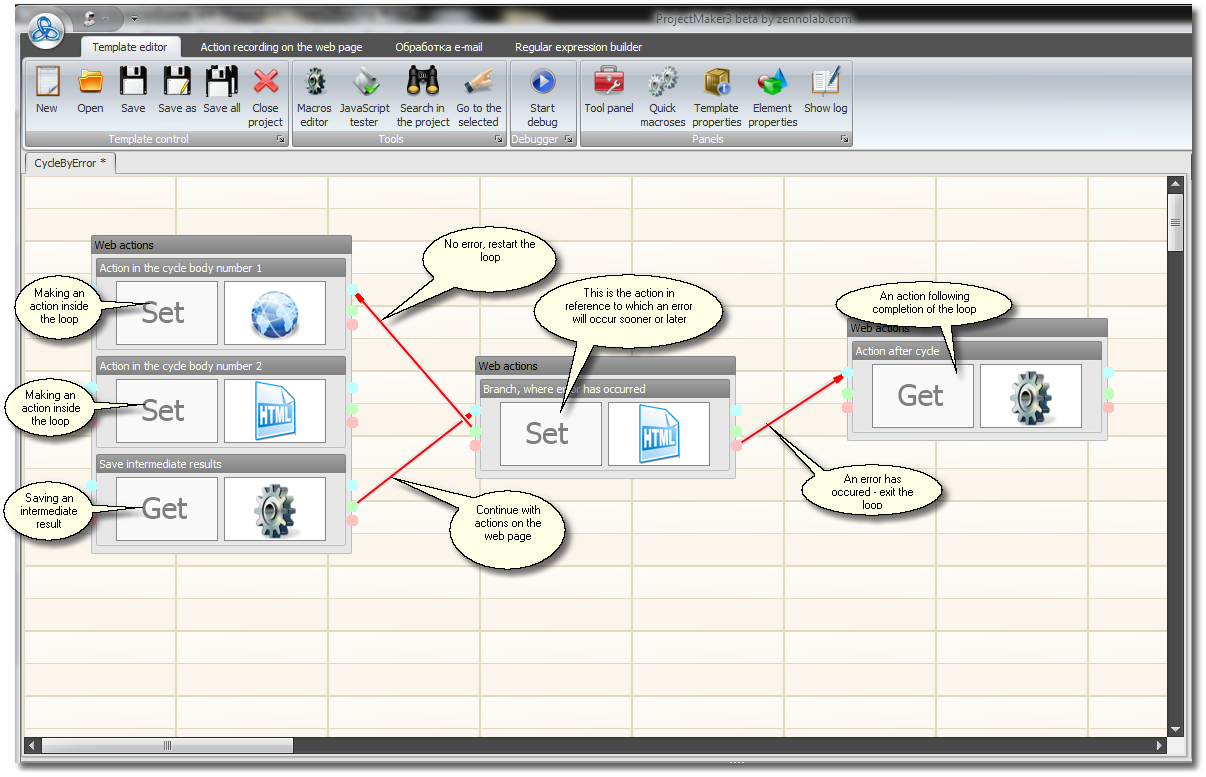
It's the easiest scenario, when you don't know how many times the loop will run and what will be the condition of its end, however you do know that at some point in a template an execution error will occur and the loop will be disrupted. For instance, when parsing search engines you press the Next button in your loop, it's obvious that soon you will get to the last page and this button will disappear and the loop will end in error (see the parser section). An error in this example does not mean that something will go wrong, it is simply an exit from the template in case of branch execution errors and in this particular case this error helps us exit the loop.
As an illustration to this type of loop we added an image showing the kind of job to be done after you exit the loop (after the error has occurred). For previous loop examples the philosophy of this job is the same.