|
Branch Builder |
  
|
| Show/Hide Hidden Text |
|
Branch Builder |
|
| Show/Hide Hidden Text |
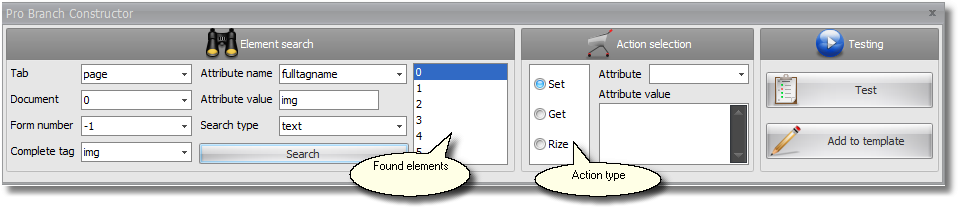
What is Branch Builder used for?
| • | Configuring search for an element following any of its attributes |
| • | Testing whether element attribute's value has been properly extracted |
| • | Testing whether the proper value has been set for the element attribute |
| • | Testing activation of various events with respect to the found element |
| • | Recoding the created event into the template (getting/setting a value) |
Useful features of Branch Builder
When searching for an element, dropdown lists of address preferences possible including value options are automatically proposed to ease your choice. When drafting the element address the selected option is automatically highlighted: the selected tab becomes active, the selected document and form are highlighted with a blue frame and one of the found and then selected elements also get highlighted with a blue frame. Once the tag of the required element is selected, frequently used attributes that are characteristic of these types of elements are automatically inserted in all lists of attributes.
How to work with Branch Builder?
First, fill in the element's address being guided by highlighted elements to compose your search. Then press the search button and as a result you get the elements satisfying the search parameters. Following, you choose the element required. If you activated Branch Builder form the menu, this element is already found.
Choose the type of event you intend to test. Test it. After the test you can add this event into the template.