|
"Output" |
  
|
|
"Output" |
|
(This feature is available only in ZennoProxyChecker)
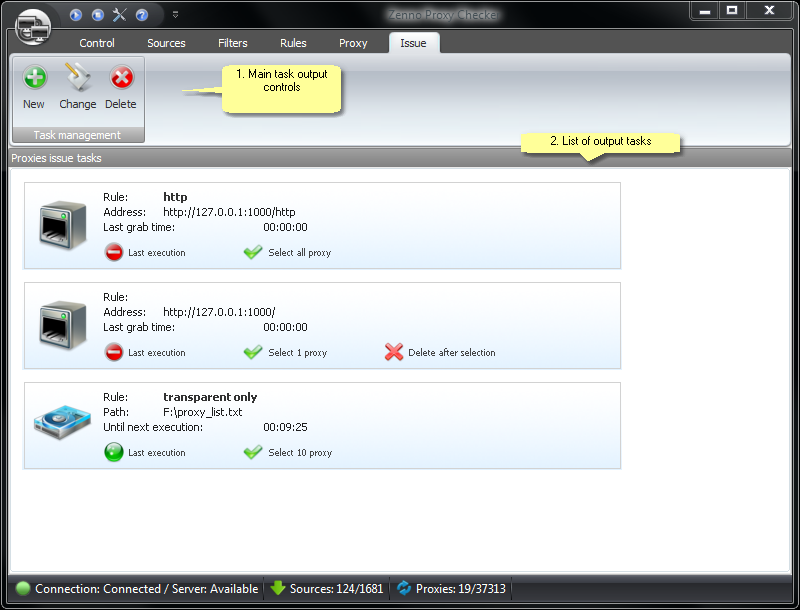
Description:
1. Main task output controls
This group of buttons (the upper row has the same buttons as the lower) accounts for the main features of working with output tasks.
New |
Creates a new output task. |
Modify |
Changes the selected output task |
Delete |
Deletes the selected output task |
For more information on task creation and types refer to the Description of task types section
2. List of output tasks
All the available output tasks are listed here: How to work with outtasks.