|
Creating JavaScript |
  
|
| Show/Hide Hidden Text |
|
Creating JavaScript |
|
| Show/Hide Hidden Text |
JavaScript can be helpful in at least two cases:
• When dealing with logical branches (no special JavaScript skills are required);
• When writing additional engines in a situation where there are not enough macros (basic JavaScript skills are required).
JavaScript for logical branches
In logical branches you use the JavaScript language to write an expression that returns values true or false.
For example,
3>5
returns false
Or this expression
"qwe" != "asd"
that returns true.
JavaScript for expanding the functionality
ZennoPoster 3 has a macro that executes chunks of a code written in the JavaScript language.
You can simply write expressions or whole classes.
To get the final value you should either write return followed by the name of the variable whose value the macro executing your JavaScript code is supposed to return, or simply write this variable at the end, and the macro will return the value of the very last variable used in your JavaScript code.
Testing JavaScript
It is obvious that if you wrote a code in JavaScript it needs to be tested. Open ProjectMaker, in the top control panel of Template Editor find the button entitled 'JavaScript Tester', press it and the following window will open:
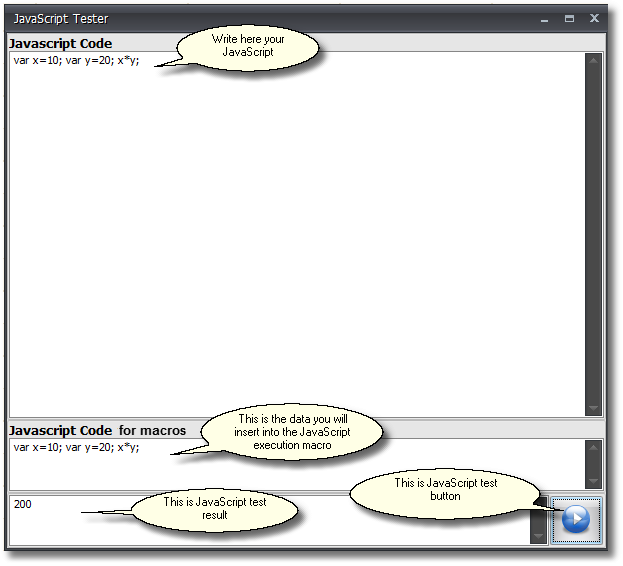
Use this window to test your chunk of the JavaScript code.